
Ep. 17 - Sonic the Hedgehog 2
In 1992, Sega followed up its smash Sonic the Hedgehog with a sequel purpose-built to ensure that its new mascot didn’t become a one-hit wonder. Sonic the Hedgehog 2 proved a definitive platformer of its era, spawning countless imitators and influencing even its most confident and established competitors. As Capcom prepared to bring Mega Man to 16-bit consoles, it couldn’t have ignored Sonic 2 - for better or worse.

Image Source: Mobygames
In 1992, Sega followed up its smash Sonic the Hedgehog with a sequel purpose-built to ensure that its new mascot didn’t become a one-hit wonder. Sonic the Hedgehog 2 proved a definitive platformer of its era, spawning countless imitators and influencing even its most confident and established competitors. As Capcom prepared to bring Mega Man to 16-bit consoles, it couldn’t have ignored Sonic 2 - for better or worse.
Game: Sonic the Hedgehog 2
Developer: Sega Technical Institute
Publisher: Sega
Director: Masaharu Yoshii
Producer: Shinobu Toyoda
Designers: Hirokazu Yashuhara; Takahiro Anto; Ytaka Sugano
Programmers: Yuji Naka, Bill Willis, Masanobu Yamamoto
Composer: Masato Nakamura
Released:
JP: November 21, 1992
US: November 24, 1992
EU: November 24, 1992
Music Used In This Episode
All sourced from OCRemix.org and used under its Content Policy’s Terms of Use.
If you have any feedback on this podcast, you can email clay@guilelessgamer.com.

Image Source: Mobygames

Ep. 16: Little Samson
By 1992, Takeru was on its last legs. In the parlance of Jake Taylor, all that was left to do was win the whole thing. In this case, “the whole thing” meant the dying days of the Famicom, and win it did. But as always with Little Samson, we are left to ask: at what cost? Join us as we put a button on Akira Kitamura’s career.

By 1992, Takeru was on its last legs. In the parlance of Jake Taylor, all that was left to do was win the whole thing. In this case, “the whole thing” meant the dying days of the Famicom, and win it did. But as always with Little Samson, we are left to ask: at what cost? Join us as we put a button on Akira Kitamura’s career.
Game: Little Samson (known in Japan as Seirei Densetsu Lickle)
Developer: Takeru
Publisher: Taito
Director: Shinichi Yoshimoto
Producer: Kiyoshi Utata
Designers: Yuka Kumagai, Yuko Sato
Composer: Yoshiji Yokoyama
Released:
JP: June 26, 1992
US: October 22, 1992
EU: March 18, 1993
Music Used In This Episode
All sourced from OCRemix.org and used under its Content Policy’s Terms of Use.
If you have any feedback on this podcast, you can email clay@guilelessgamer.com.

Ep. 15: Does Mega-Busting In Fact Make Me Feel Good?
It’s time to take stock of what we’ve learned.
Let’s see if we’ve learned anything.
Music Used In This Episode
All sourced from OCRemix.org and used under its Content Policy’s Terms of Use.
If you have any feedback on this podcast, you can email clay@guilelessgamer.com.

Ep. 14: Mega Man 6
As priorities shifted inside of Capcom and the third generation of video game consoles wound down, the company finally faced the inevitable: the Mega Man series simply could no longer continue on the Nintendo Entertainment System because the Nintendo Entertainment System itself would soon no longer continue on. With the franchise’s migration to next-generation hardware (or at this point, current-generation hardware) imminent, Capcom decided to try to squeeze one more drop of milk from its 8-bit cash cow. Mega Man 6 is not a triumphant last hurrah, but rather a coda. So disinterested in the game was Capcom that it fell to Nintendo to publish the game outside of Japan. So what can we learn from playing it? If anything, that its makers were likely as bored of this same old routine as its players were.
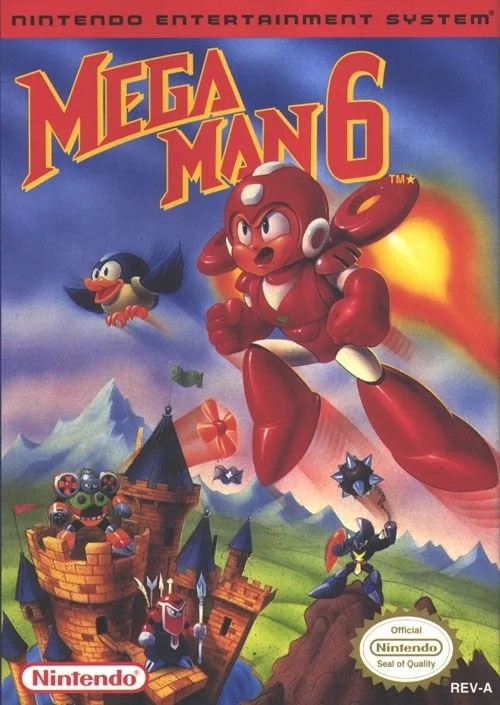
Image Credit: MobyGames
As priorities shifted inside of Capcom and the third generation of video game consoles wound down, the company finally faced the inevitable: the Mega Man series simply could no longer continue on the Nintendo Entertainment System because the Nintendo Entertainment System itself would soon no longer continue on. With the franchise’s migration to next-generation hardware (or at this point, current-generation hardware) imminent, Capcom decided to try to squeeze one more drop of milk from its 8-bit cash cow. Mega Man 6 is not a triumphant last hurrah, but rather a coda. So disinterested in the game was Capcom that it fell to Nintendo to publish the game outside of Japan. So what can we learn from playing it? If anything, that its makers were likely as bored of this same old routine as its players were.
The Game: Mega Man 6 or Rockman 6: Shijō Saidai no Tatakai!! (ロックマン6 史上最大の戦い!! Rokkuman Shikkusu: Shijō Saidai no Tatakai!!)
Original Platform: Nintendo Family Computer / Nintendo Entertainment System
Developer: Capcom
Publisher: Capcom (JP), Nintendo (US)
Release Date:
November 5, 1993 (JP)
March 15, 1994
Music Used In This Episode
All sourced from OCRemix.org and used under its Content Policy’s Terms of Use.
If you have any feedback on this podcast, you can email clay@guilelessgamer.com.

Image Credit: MobyGames

Ep. 13: Mega Man IV
With two Game Boy Mega Man games under its belt, Minakuchi Engineering had built up enough expertise to feel confident pushing boundaries. Developed in an environment of expanding scope and increased technical sophistication in handheld gaming, Mega Man IV introduces narrative and mechanical flourishes surpassing some NES entries’, while also adding an economy and improving on the game’s presentation. But even with these improvements, Mega Man IV gives us the impression not of something that was continuing to thrive, but rather of something that was beginning to wind down.
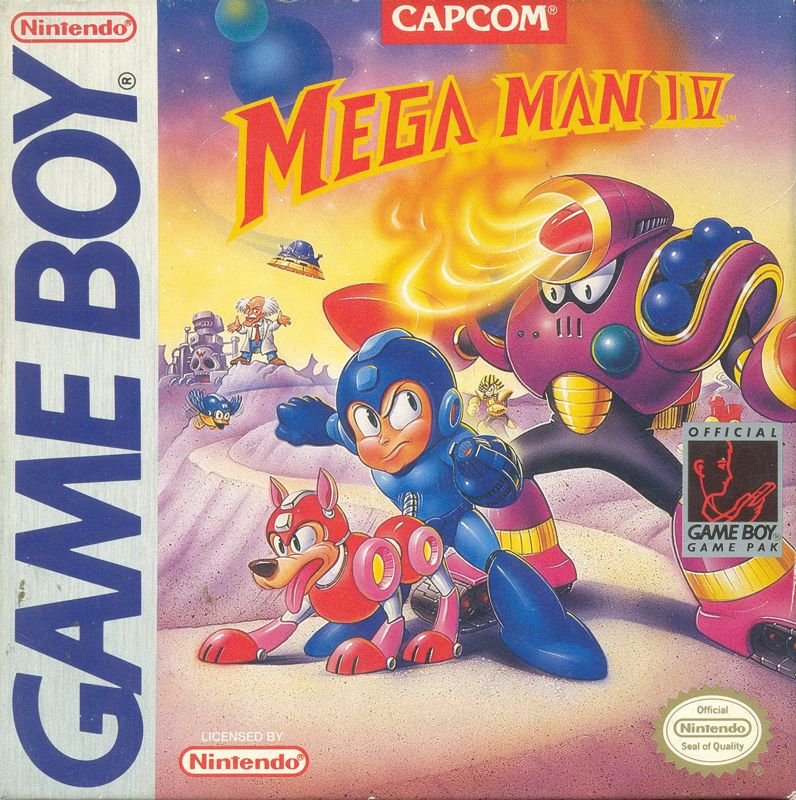
Image Credit: MobyGames
With two Game Boy Mega Man games under its belt, Minakuchi Engineering had built up enough expertise to feel confident pushing boundaries. Developed in an environment of expanding scope and increased technical sophistication in handheld gaming, Mega Man IV introduces narrative and mechanical flourishes surpassing some NES entries’, while also adding an economy and improving on the game’s presentation. But even with these improvements, Mega Man IV gives us the impression not of something that was continuing to thrive, but rather of something that was beginning to wind down.
The Game: Mega Man IV, or Rockman World 4 (ロックマンワールド4)
Original Platform: Nintendo Game Boy
Developer: Minakuchi Engineering
Publisher: Capcom
Release Date: October 29, 1993 (JP)
Music Used In This Episode
All sourced from OCRemix.org and used under its Content Policy’s Terms of Use.
If you have any feedback on this podcast, you can email clay@guilelessgamer.com.
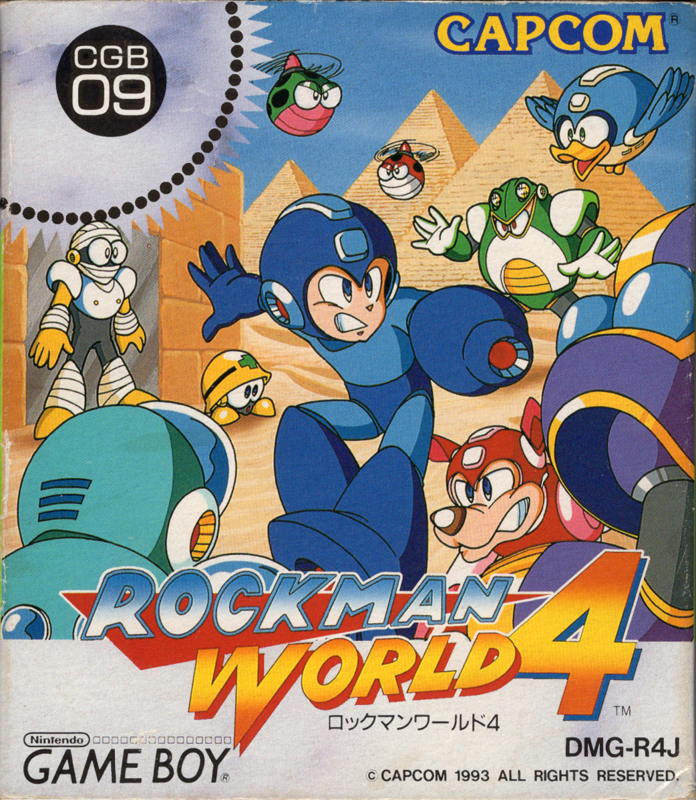
Image Credit: MobyGames

Ep. 12: Wily & Right's RockBoard: That's Paradise
The first real attempt at a true expansion of the Mega Man brand was a Japan-only board game simulation based on Monopoly starring the least popular characters in the franchise. Like Monopoly, it is not a good game. But it also wasn’t the first or last game to take its inspiration from the time-honored pastime of gathering ‘round the table with the family to roll some dice and move some pieces of plastic. Rockboard demonstrates some of the limits of Mega Man as an intellectual property. I wouldn’t recommend it!

Image Credit: MobyGames
The first real attempt at a true expansion of the Mega Man brand was a Japan-only board game simulation based on Monopoly starring the least popular characters in the franchise. Like Monopoly, it is not a good game. But it also wasn’t the first or last game to take its inspiration from the time-honored pastime of gathering ‘round the table with the family to roll some dice and move some pieces of plastic. Rockboard demonstrates some of the limits of Mega Man as an intellectual property. I wouldn’t recommend it!
The Game: Wily & Right no RockBoard: That's Paradise or ワイリー&ライトのロックボード ザッツ☆パラダイス Wairī ando Raito no RokkuBōdo Zattsu ☆ Paradaisu
Original Platform: Nintendo Family Computer
Developer: Capcom
Publisher: Capcom
Designer: Yoshinori Takenaka
Artist: Keiji Inafune
Release Date: January 15, 1993 (JP)
Music Used In This Episode
To The End of the Sea and Sky by Lemonectric and Phonetic Hero
Gravidade by Leandro Abreu, André Pastore, Helton Lima, Leo Quintão, Marco Lima
Wonderful Shadows by the Electric Sheep Orchestra by fredrikd
All sourced from OCRemix.org and used under its Content Policy’s Terms of Use.
If you have any feedback on this podcast, you can email clay@guilelessgamer.com.

Ep. 11: Mega Man 3 - The Robots Are Revolting
What is the line between “game” and “fan game”? Stephen Rozner’s return to Mega Man forces us to ask and answer that question with the third game called Mega Man 3. Mega Man 3 - The Robots Are Revolting actually introduces several concepts that the series would take years to come back to, but it remains hamstrung by the same issues that crippled its DOS-based predecessor. Should you play it? No. Should you listen to this episode? Yes.
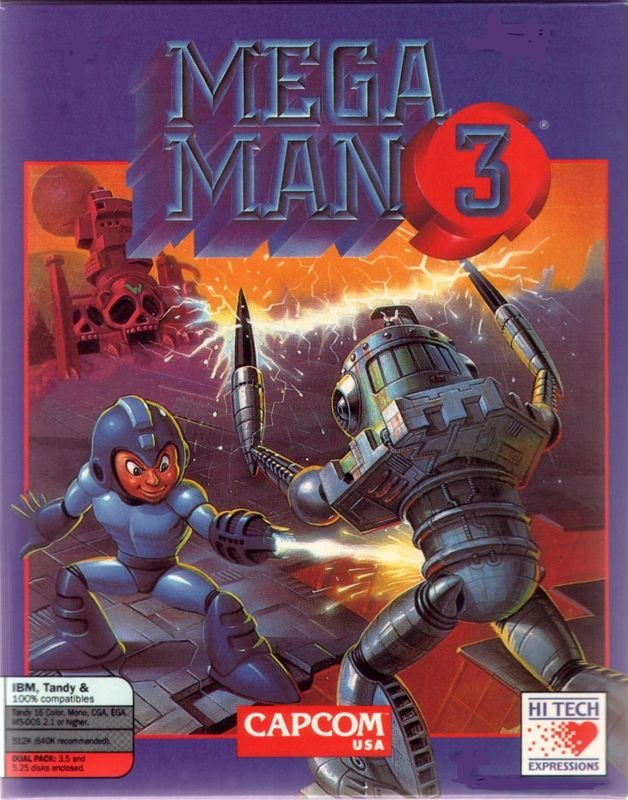
Image Credit: MobyGames
What is the line between “game” and “fan game”? Stephen Rozner’s return to Mega Man forces us to ask and answer that question with the third game called Mega Man 3. Mega Man 3 - The Robots Are Revolting actually introduces several concepts that the series would take years to come back to, but it remains hamstrung by the same issues that crippled its DOS-based predecessor. Should you play it? No. Should you listen to this episode? Yes.
The Game: Mega Man 3: The Robots Are Revolting
Original Platform: Microsoft Disk Operating System
Developer: Hi-Tech Expressions
Publisher: Capcom USA; Hi-Tech Expressions
Designer: Stephen Rozner
Artist: William Rozner
Release Date: 1992
Music Used In This Episode
All sourced from OCRemix.org and used under its Content Policy’s Terms of Use.
Referenced in this episode:
If you have any feedback on this podcast, you can email clay@guilelessgamer.com.

Ep. 10: Mega Man III
It’s becoming harder to write these Mega Man recaps as repetition becomes the series’s primary trait. But for the purposes of analyzing Mega Man III - the second of three games bearing some variation of the title Mega Man 3 - I’ve decided to adopt the mind of a newcomer. We know that this is our 8th proper Mega Man game, but what this episode presupposes is: maybe it’s somebody’s first?

Image Credit: MobyGames
It’s becoming harder to write these Mega Man recaps as repetition becomes the series’s primary trait. But for the purposes of analyzing Mega Man III - the second of three games bearing some variation of the title Mega Man 3 - I’ve decided to adopt the mind of a newcomer. We know that this is our 8th proper Mega Man game, but what this episode presupposes is: maybe it’s somebody’s first?
The Game: Mega Man III, known in Japan as Rockman World 3 (ロックマンワールド3)
Original Platform: Nintendo Game Boy
Developer: Minakuchi Engineering
Publisher: Capcom
Release Date:
December 11, 1992 (JP)
December 1992 (US)
Music Used In This Episode
All sourced from OCRemix.org and used under its Content Policy’s Terms of Use.
If you have any feedback on this podcast, you can email clay@guilelessgamer.com.

Image Credit: MobyGames

Ep. 9: Mega Man 5
The video game equivalent of a later “Thin Man” film, Mega Man 5 represents Capcom buying time for its once-proud flagship while Street Fighter II sat at the top of its priority list. Despite its repetitive nature, the game is nothing if not familiar and reassuring. And that’s not a bad thing! But at this point in our journey, it’s hard not to wonder what more Mega Man could be if only Capcom were willing to put in the time and effort.

Image Credit: MobyGames
The video game equivalent of a later “Thin Man” film, Mega Man 5 represents Capcom buying time for its once-proud flagship while Street Fighter II sat at the top of its priority list. Despite its repetitive nature, the game is nothing if not familiar and reassuring. And that’s not a bad thing! But at this point in our journey, it’s hard not to wonder what more Mega Man could be if only Capcom were willing to put in the time and effort.
The Game: Mega Man 5, known in Japan as Rockman 5: Blues no Wana!? (ロックマン5 ブルースの罠!?)
Original Platform: Nintendo Family Computer / Nintendo Entertainment System
Developer: Capcom
Publisher: Capcom
Director: Ichirou Mihara
Composer: Mari Yamaguchi
Release Date:
December 4, 1992 (JP)
December 15, 1992 (US)
Music Used In This Episode
Gravidade by Leandro Abreu, André Pastore, Helton Lima, Leo Quntão, Marco Lima
Wonderful Shadows by the Electric Sheep Orchestra by fredrikd
All sourced from OCRemix.org and used under its Content Policy’s Terms of Use.
If you have any feedback on this podcast, you can email clay@guilelessgamer.com.

Image Credit: MobyGames

Ep. 8: Mega Man II
Sticking with its guiding principles of “quick” and “cheap”, Capcom handed the reigns of its portable Mega Man series to the creatively named “Japan System House”, which promptly produced the series’s first true retread. Mega Man II for Game Boy is a slice of pepperoni pizza reheated once too often.

Image Credit: MobyGames
Sticking with its guiding principles of “quick” and “cheap”, Capcom handed the reigns of its portable Mega Man series to the creatively named “Japan System House”, which promptly produced the series’s first true retread. Mega Man II for Game Boy is a slice of pepperoni pizza reheated once too often.
The Game: Mega Man II, known as Rockman World 2 (ロックマンワールド2) in Japan
Original Platform: Nintendo Game Boy
Developer: Japan Systems House Co., Ltd
Publisher: Nintendo
Composer: Kenji Yamazaki
Release Date:
December 20, 1991 (JP)
February 1992 (US)
Music Used In This Episode
All sourced from OCRemix.org and used under its Content Policy’s Terms of Use.
If you have any feedback on this podcast, you can email clay@guilelessgamer.com.

Image Credit: MobyGames

Ep. 7: Mega Man 4
With the franchise fully established and the production team stabilized, Capcom brought Mega Man 4 to the Nintendo Entertainment System, attempting to move forward while also adopting some bad habits that would stick with it for decades to come. Can a game be both good on almost every dimension and yet almost entirely forgettable? You tell me, cowboy.

Image Credit: MobyGames
With the franchise fully established and the production team stabilized, Capcom brought Mega Man 4 to the Nintendo Entertainment System, attempting to move forward while also adopting some bad habits that would stick with it for decades to come. Can a game be both good on almost every dimension and yet almost entirely forgettable? You tell me, cowboy.
The Game: Mega Man 4, known as Rockman 4: Aratanaru Yabou!! (ロックマン4 新たなる野望!! Rokkuman 4 Aratanaru Yabou!!)
Original Platform: Nintendo Family Computer / Nintendo Entertainment System
Developer: Capcom
Director: Yoshinori Takenaka
Producer: Tokuro Fujiwara
Composer: Minae Fujii, Yasuaki Fujita
Release Date:
December 6, 1991 (JP)
January 1, 1992 (US)
Music Used In This Episode
All sourced from OCRemix.org and used under its Content Policy’s Terms of Use.
If you have any feedback on this podcast, you can email clay@guilelessgamer.com.

Image Credit: MobyGames

Ep. 6: Mega Man - Dr. Wily’s Revenge
We examine Capcom’s first focused expansion of the Mega Man brand to a new platform. Mega Man: Dr. Wily’s Revenge is a remix of previous entries in the series, with just enough new additions to avoid being a rehash. While compromised, it’s a full-fledged games that, unlike some its contemporaries, successfully compressed Mega Man into a 166x144 pixel screen.

Image Credit: MobyGames
We examine Capcom’s first focused expansion of the Mega Man brand to a new platform. Mega Man: Dr. Wily’s Revenge is a remix of previous entries in the series, with just enough new additions to avoid being a rehash. While compromised, it’s a full-fledged games that, unlike some its contemporaries, successfully compressed Mega Man into a 166x144 pixel screen.
The Game: Mega Man: Dr. Wily's Revenge, known as Rockman World (ロックマンワールド Rokkuman Wārudo)
Original Platform: Nintendo Game Boy
Developer: Minakuchi Engineering Co, Ltd
Director: Unknown
Composer: Makoto Tomozawa
Release Date:
July 26, 1991 (JP)
December 1991 (US)
Music Used In This Episode
All sourced from OCRemix.org and used under its Content Policy’s Terms of Use.
If you have any feedback on this podcast, you can email clay@guilelessgamer.com.

Image Credit: MobyGames

Ep. 5: Cocoron
We examine Akira Kitamura’s final significant directorial contribution to video games - the Mega Man derivative Cocoron, a move-and-shoot platformer that begins to contextualize what isn’t a Mega Man game.

Image Credit: MobyGames
We examine Akira Kitamura’s final significant directorial contribution to video games - the Mega Man derivative Cocoron, a move-and-shoot platformer that begins to contextualize what isn’t a Mega Man game.
The Game: Cocoron (ココロン)
Original Platform: Nintendo Family Computer / Nintendo Entertainment System
Developer: Takeru
Director: Akira Kitamura
Composer: Takashi Tateishi
Release Date:
May 3, 1991 (JP)
Music used in this episode is taken directly from the game Cocoron.
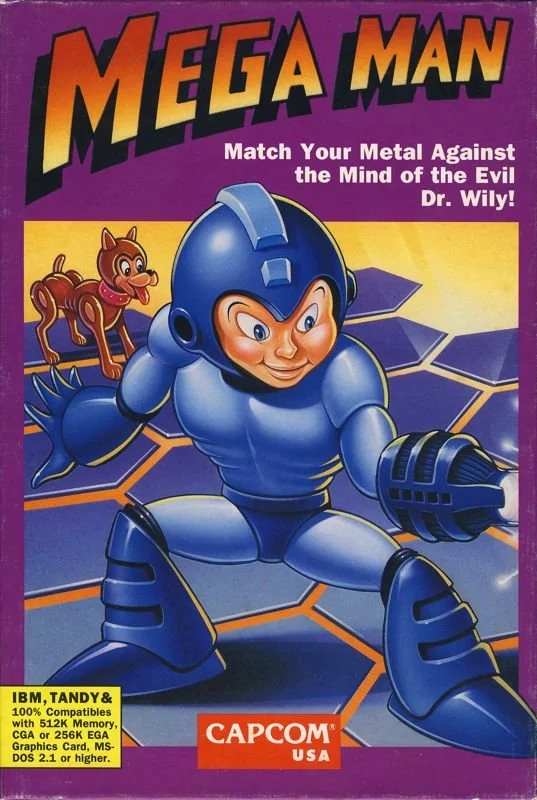
Ep. 4: Mega Man (DOS)
We explore Stephen Rozner’s groundbreaking heartbreaker, and in doing so explore the flipside of the Kitamura question. If Mega Man 3 asked what happenes when you remove Akira Kitamura from a Mega Man game, then Mega Man for DOS asks what happens when you remove any trace of Capcom from a Mega Man game.

Image Credit: MobyGames
We explore Stephen Rozner’s groundbreaking heartbreaker, and in doing so explore the flipside of the Kitamura question. If Mega Man 3 asked what happenes when you remove Akira Kitamura from a Mega Man game, then Mega Man for DOS asks what happens when you remove any trace of Capcom from a Mega Man game.
The Game: Mega Man
Original Platform: Microsoft Disk-Operating System
Developer: Rozner Labs
Director: Stephen Rozner
Composer: Stephen Rozner
Release Date:
1990 (US)
See Also: The Story of Mega Man on DOS | The Gaming Historian
Music Used In This Episode
All sourced from OCRemix.org and used under its Content Policy’s Terms of Use.

Ep. 3: Mega Man 3
We examine the first significant inflection point in the Mega Man franchise, as personnel turnovers and a tumultuous production process plants seeds that will take two decades to bloom.

Image Credit: MobyGames
We examine the first significant inflection point in the Mega Man franchise, as personnel turnovers and a tumultuous production process plants seeds that will take two decades to bloom.
The Game: Mega Man 3, released in Japan as Rockman 3: Dr. Wily no Saigo!? (ロックマン3 Dr.ワイリーの最期!? Rokkuman 3 Dokutā Wairī no Saigo!?)
Original Platform: Nintendo Family Computer / Nintendo Entertainment System
Developer: Capcom
Director: Masahiko Kurokawa; Keiji Inafune (uncredited)
Producer: Tokuro Fujiwara
Composer: Yasuaki Fujita; Harumi Fujita
Release Date:
September 28, 1990 (JP)
November 22, 1990 (US)
Music Used In This Episode
All sourced from OCRemix.org and used under its Content Policy’s Terms of Use.
Please check out Mega Man 3 by Salvatore Pane, available now from Boss Fight Books.
If you have any feedback on this podcast, you can email clay@guilelessgamer.com.

Image Credit: MobyGames

Ep. 2: Mega Man 2
We examine the first true masterpiece in the Mega Man franchise, and in doing so, discover the secret roots of the Yakuza series.

Image Credit: MobyGames
We examine the first true masterpiece in the Mega Man franchise, and in doing so, discover the secret roots of the Yakuza series.
The Game: Mega Man 2, released in Japan as Rockman 2: Dr. Wily no Nazo (ロックマン2 Dr.ワイリーの謎 “Rokkuman 2: Dr. Wairī no Nazo”)
Original Platform: Nintendo Family Computer / Nintendo Entertainment System
Developer: Capcom
Director: Akira Kitamura
Producer: Tokuro Fujiwara
Composer: Takashi Tateishi
Release Date:
December 24, 1988 (JP)
June 2, 1989 (US)
Music Used In This Episode
All sourced from OCRemix.org and used under its Content Policy’s Terms of Use.
Please check out Mega Man 3 by Salvatore Pane, available now from Boss Fight Books.
If you have any feedback on this podcast, you can email clay@guilelessgamer.com.
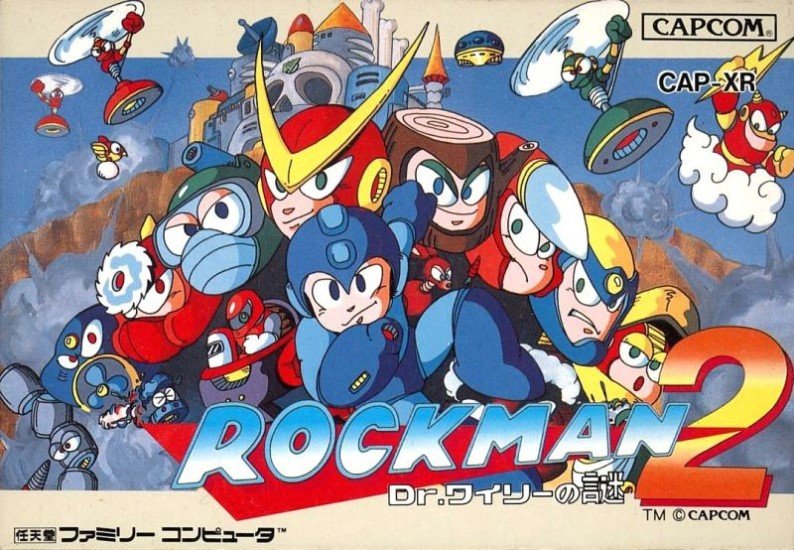
Image Credit: MobyGames
Ep. 1: Mega Man
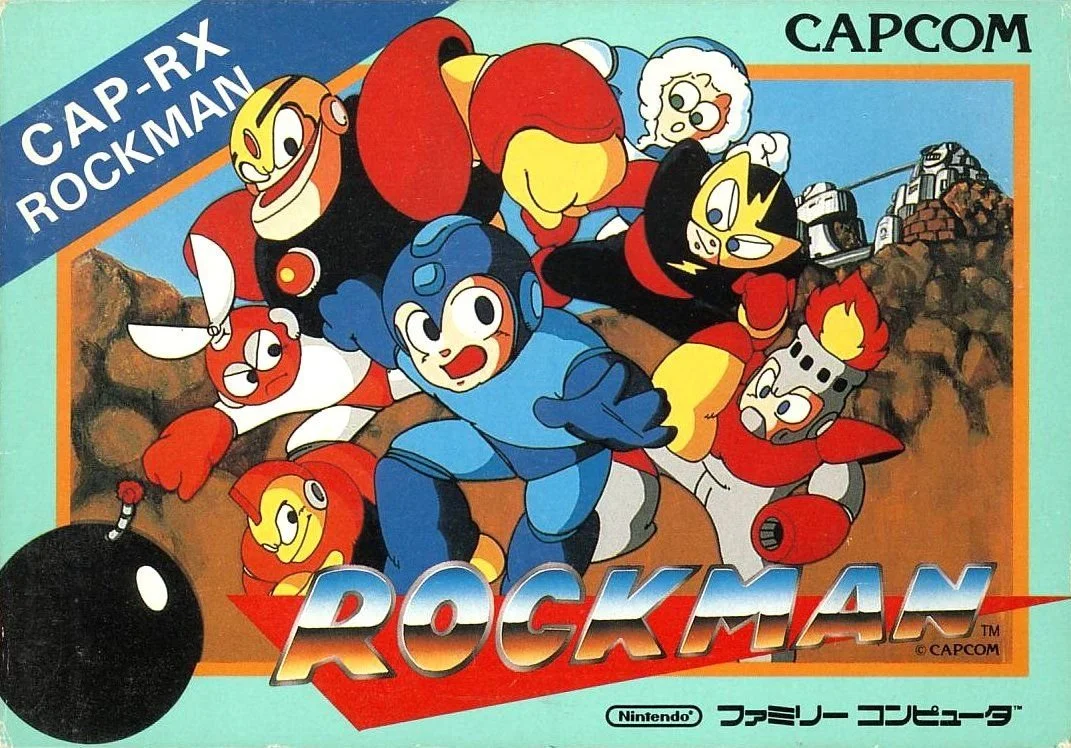
We lay the first brick in the foundation of our unifying theory of the Mega Man franchise.

Image Credit: MobyGames
We lay the first brick in the foundation of our unifying theory of the Mega Man franchise.
The Game: Mega Man, released in Japan as Rockman (ロックマン “Rokkuman”)
Original Platform: Nintendo Family Computer / Nintendo Entertainment System
Developer: Capcom
Director: Akira Kitamura
Producer: Takashi Nishiyama
Composer: Manami Matsumae
Release Date:
December 17, 1987 (JP)
December 29, 1987 (US)
Music Used In This Episode
All sourced from OCRemix.org and used under its Content Policy’s Terms of Use.
If you have any feedback on this podcast, you can email clay@guilelessgamer.com.

Image Credit: MobyGames